Chapters as tabs
Every chapter opens in its own tab, so you can move through your manuscript without scrolling across one massive document. Each tab keeps track of its own word count, length target, and current status.
Verso is a dedicated book editor built for novelists on Windows. You can draft chapter by chapter, keep your outline and characters right beside your text, and export clean pages that look ready for print.
For Windows 10 and 11 (64-bit). Free for 7 active days of use, then a $20 one-time purchase with no subscription.
Every chapter opens in its own tab, so you can move through your manuscript without scrolling across one massive document. Each tab keeps track of its own word count, length target, and current status.
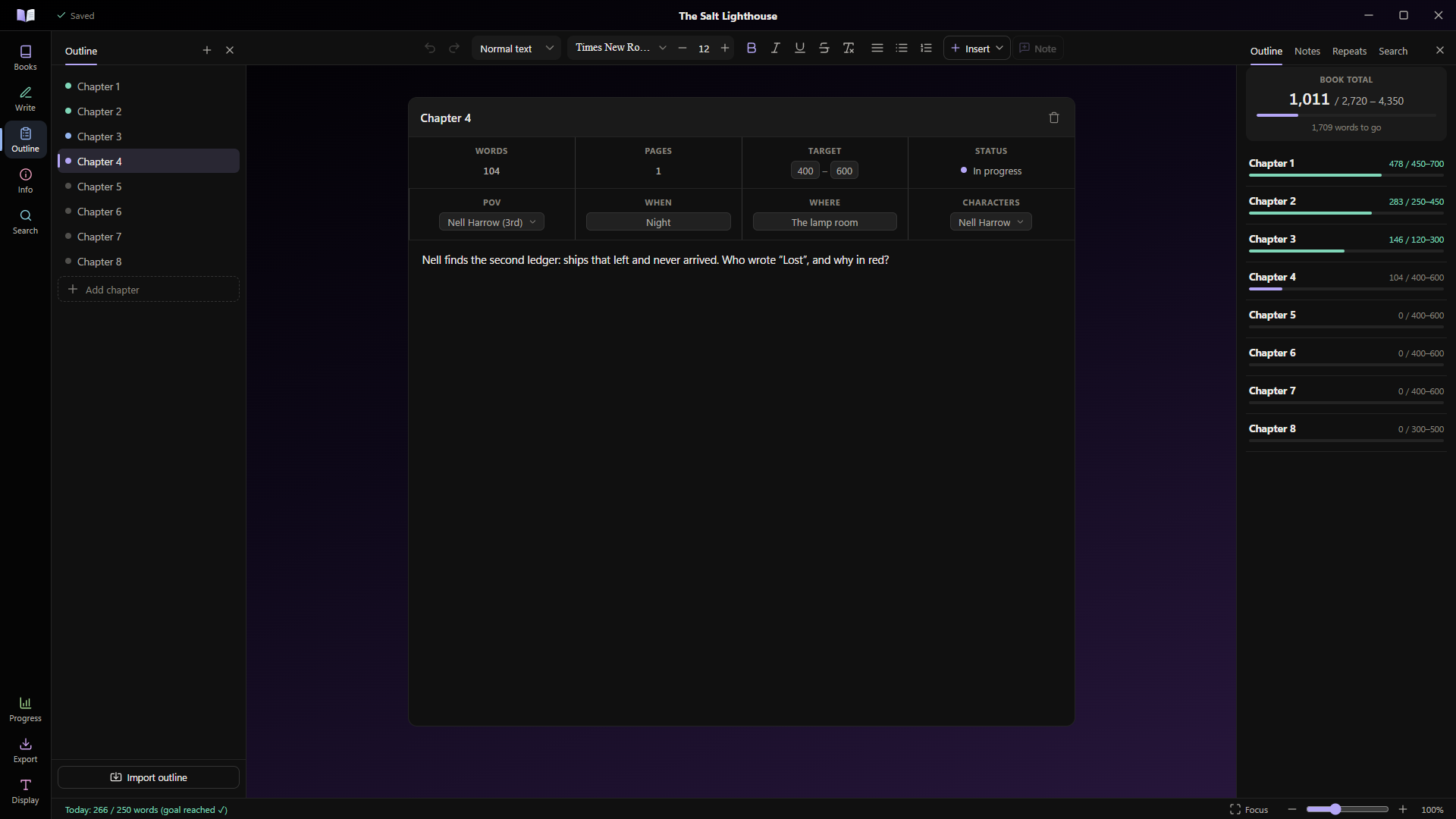
Plan each chapter before you start writing, or reshape the outline as your plot evolves. You can note what happens in every scene, whose point of view it follows, and when and where it takes place.
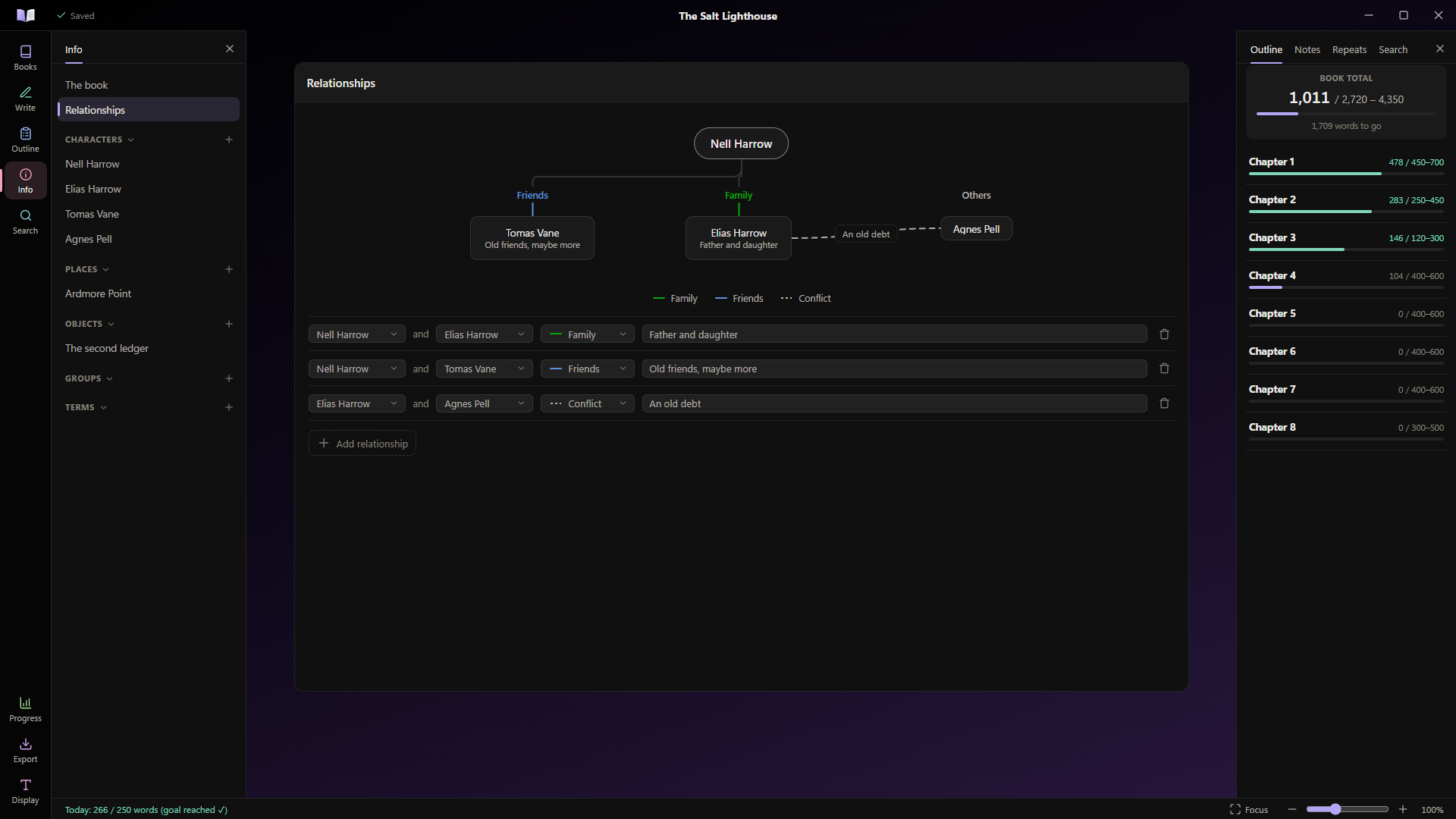
Keep sheets for your characters, places, and key objects right next to the chapters you are writing. A visual relationship map connects your cast so you never lose track of ties, alliances, or conflicts.
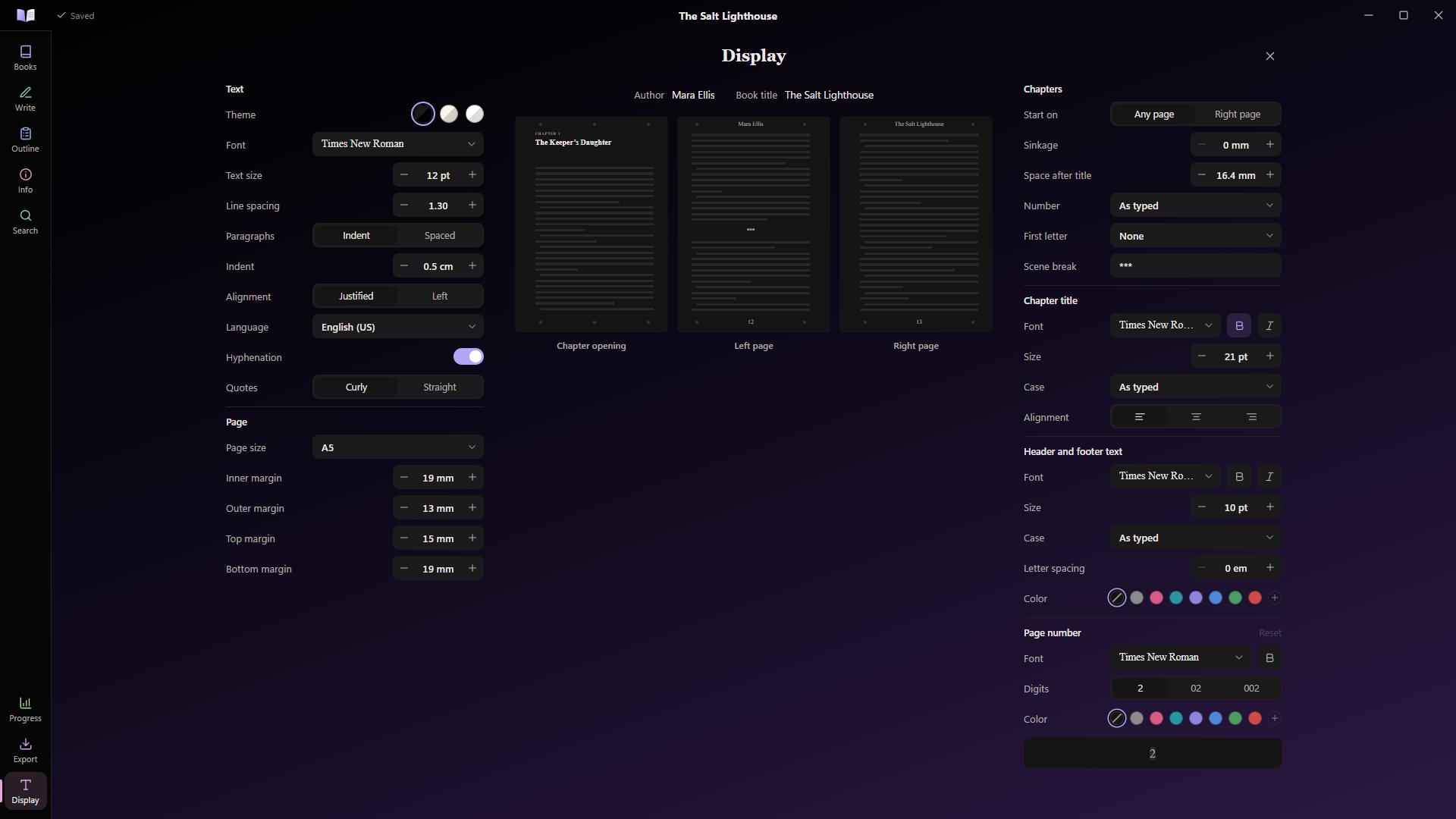
Format your manuscript on standard book trim sizes such as A5, B5, US Trade, and Digest instead of generic office sheets. Verso handles chapter openings, running headers, page numbers, and hyphenation for you.
When your draft is ready to share, edit, or publish, you can export it directly to PDF, Word (.docx), EPUB, or plain text. Verso builds every file natively, so you never have to install extra software.
Modern fiction often needs more than plain paragraphs, and Verso gives special story elements proper formatting. Text messages, comments, letters, and footnotes all sit cleanly on the page the way they belong in a real book.
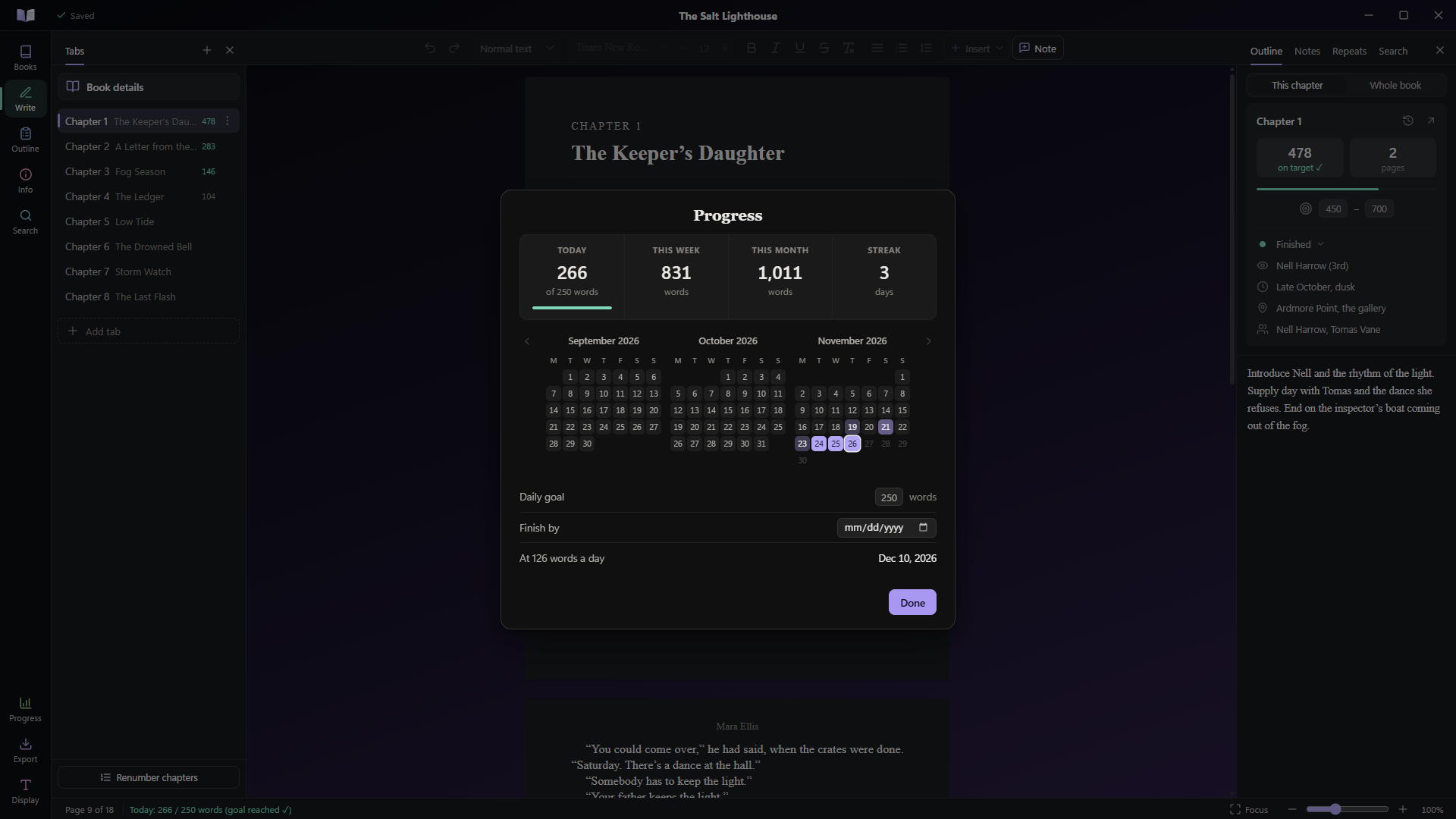
Set a daily word goal and an optional target finish date to turn a full novel into steady daily sessions. Verso tracks your writing streak, measures your output, and highlights every day you wrote on a calendar.
Save snapshots of any chapter before major revisions and compare older drafts side by side whenever you need to. While you write, Verso also creates automatic backups in the background to keep your work safe.
Every manuscript is saved in plain folders directly on your computer, never locked behind a cloud account or a monthly fee. Verso runs completely offline so you can write anywhere without distractions.
Each chapter has its own outline page where you can track its word target, drafting status, point of view, time, and location. You can review your scene notes right where you write instead of switching between separate spreadsheets or notebooks.
As your chapters grow, Verso totals your word count, page estimate, and overall progress on the right side of the window. That gives you a clear view of how every individual chapter contributes to the finished novel.
Every character gets a dedicated page for background details, traits, and story notes, sitting one click away from your manuscript. Whenever you need to verify a small continuity detail in the middle of a scene, you can check it without breaking your focus.
Verso also includes a visual relationship map that shows how your cast fits together. You can trace family ties, friendships, and conflicts at a glance so complex subplots stay consistent from the first page to the last.
Instead of waiting until the final draft to struggle with separate layout tools, you can design your book's pages right inside Verso. Pick a real trim size, adjust your margins, customize chapter openings, and set up headers and page numbers from one straightforward view.
Your preview updates immediately as you refine each setting, showing how chapter titles and facing spreads will actually look on paper. When you are ready to export, your PDF already matches what you built on screen.
Finishing a novel feels much more realistic when you can watch small daily efforts add up. Set a daily word count goal along with an optional finish date, and Verso calculates how your writing pace lines up with your schedule.
The progress window tracks what you wrote today, this week, and this month, alongside your current streak and a calendar of active days. It gives you clear, encouraging feedback without turning your writing space into a noisy dashboard.
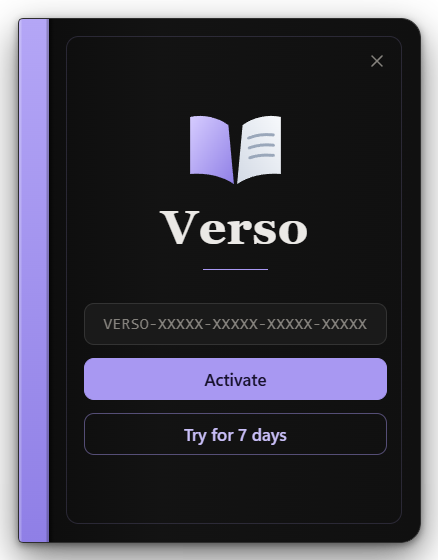
Verso only counts the days when you actually open the program, not calendar days ticking away while life gets busy. If you only write on weekends or a few evenings a week, your trial stretches naturally to match your routine, and you do not need an account or a credit card to start.
When the trial ends, your manuscripts are never locked away. Your books still open in read-only mode, so you can review everything you wrote and export your files freely. Whenever you decide to keep using Verso, a one-time $20 license unlocks full editing on up to 2 computers, with no subscription.